











The One-Phone Ceiling
Think about what your mobile actually is from the business's point of view. It is a phone system with one extension, one person on it, no queue, no backup and no hours. Every call to the business has to pass through you. That is fine when the business is you. It becomes a hard limit the moment the work outgrows the hours you can spend answering the phone.
The limit rarely announces itself. Instead it shows up as small things: a voicemail you return the next day to find the customer already booked someone else, a job you could not quote because you were up a ladder, a staff member asking for a customer's number so they can ring them back. Each one is a little bit of growth that did not happen.

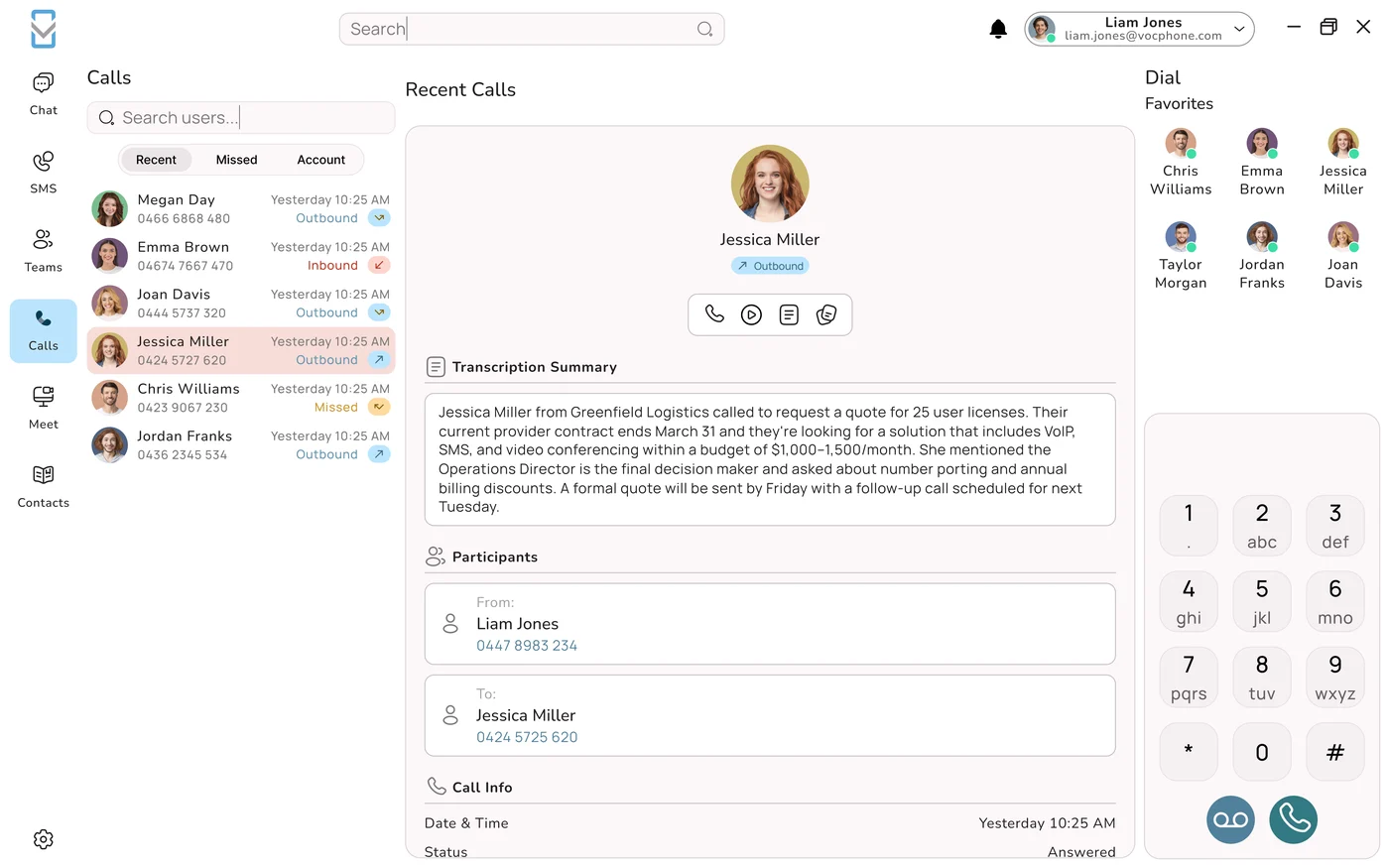
A phone system removes that ceiling. It does not replace your mobile. It turns the business number into something that can ring several people at once, follow your hours, answer when nobody can, and keep a record of every call. That is what lets a business grow past the size of its owner.
Six Moments You Outgrow the Mobile
These are the points where growing businesses most often find that the mobile and the WhatsApp group are holding them back. If two or more sound familiar, you have already outgrown it.
1. You hire your first person
The first hire is meant to take work off your plate, but if every call still comes to your mobile, you are still the switchboard. You end up taking the call, posting the details in WhatsApp and asking them to ring the customer back from their own phone. With a phone system the business number rings both of you, and whoever is free takes it.
2. You are on the tools all day
Tradies, cleaners, mobile mechanics, photographers and therapists all have the same problem: the busier you are, the less you can answer. The best weeks for the business are often the worst for missed calls. A phone system lets those calls ring someone in the office, go to an AI agent that takes the details, or reach voicemail that arrives in your email, instead of disappearing.
3. You start paying for marketing
Once you spend money on Google Ads, a directory listing or a letterbox drop, every missed call is money thrown away. You also want to know which spend works. A single mobile number cannot tell you. A phone system can give each campaign its own number and report on the calls each one brings in.
4. You go after bigger customers
Commercial clients, councils and larger businesses expect a business number, a greeting, someone who answers in business hours and a way to reach the team, not just one person. A professional phone setup is a small thing that quietly says you can handle a bigger job.
5. You open longer hours or add a second location
Longer hours mean either you answer more calls yourself, or the calls go unanswered. A second site means two sets of customers and staff on the same number. Phone systems handle both with time rules, ring groups per site and an AI agent that covers the hours nobody is rostered.
6. You want to step back
At some point you will want a holiday without the phone, a manager who runs the day, or one day a buyer for the business. All three are hard when the business's phone number is your personal mobile and its history is in your WhatsApp. A business that holds its own numbers and call records can run without you, and is easier to hand over.
What Missed Calls Really Cost
Most owners have a feeling they miss some calls. Very few have put a number on it. Here is a simple way to do that, with an illustrative example. Swap in your own figures.
| Step | Illustrative figure | Your figure |
|---|---|---|
| Missed calls in a typical week | 8 | |
| Share of those that were new work | 1 in 4 (2 a week) | |
| Average value of a job | $600 | |
| Work at risk each week | 2 × $600 = $1,200 | |
| Work at risk each month (4 weeks) | $4,800 |
Not every one of those callers is lost for good. Some leave a message, some try again. But many people who reach a personal voicemail simply call the next business on the list, especially for urgent work. Even if you only win back a fraction of that figure, it is far more than the cost of a phone system. If you do not know your own missed-call count, that is a sign in itself. A mobile does not track it, and a phone system does from the first day.
The other half of the maths is speed. An enquiry that gets a call back within minutes is far more likely to turn into work than one called back the next morning. Our guide to calling web enquiries back fast covers how to build that habit.
Keeping the Speed Customers Like
One reason businesses cling to WhatsApp is that customers like it. Messaging is quick, it does not interrupt anyone, and it leaves a written record of what was agreed. The good news is that moving to a phone system does not mean giving that up.
- Text from the business number. Two-way SMS from your business number lets customers message you the way they already do, but the conversation belongs to the business, not to one person's phone.
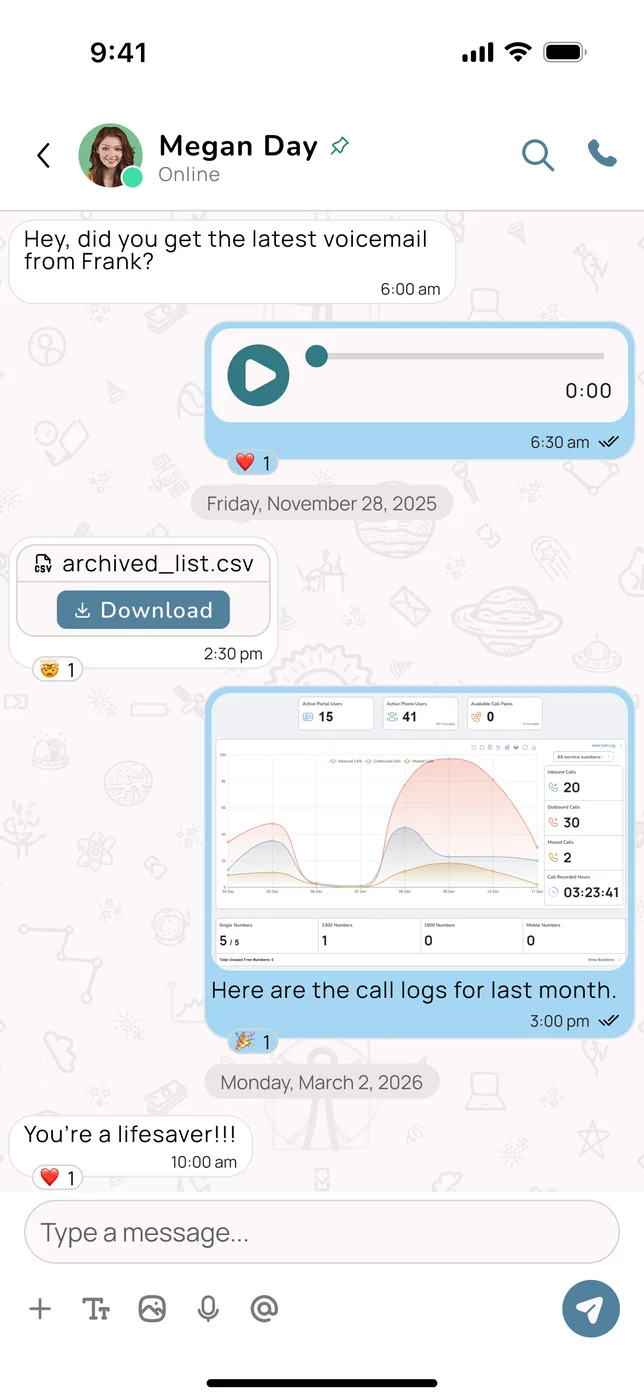
- A shared inbox. Messages land in a team inbox in the desktop and mobile apps, so whoever is on can reply. No more forwarding screenshots.
- Separate lines, separate inboxes. Sales, support or each location can have its own number, with texts kept apart by service number.
- Confirmations and reminders. Booking confirmations, on-my-way texts and reminders go out from the same number customers call.
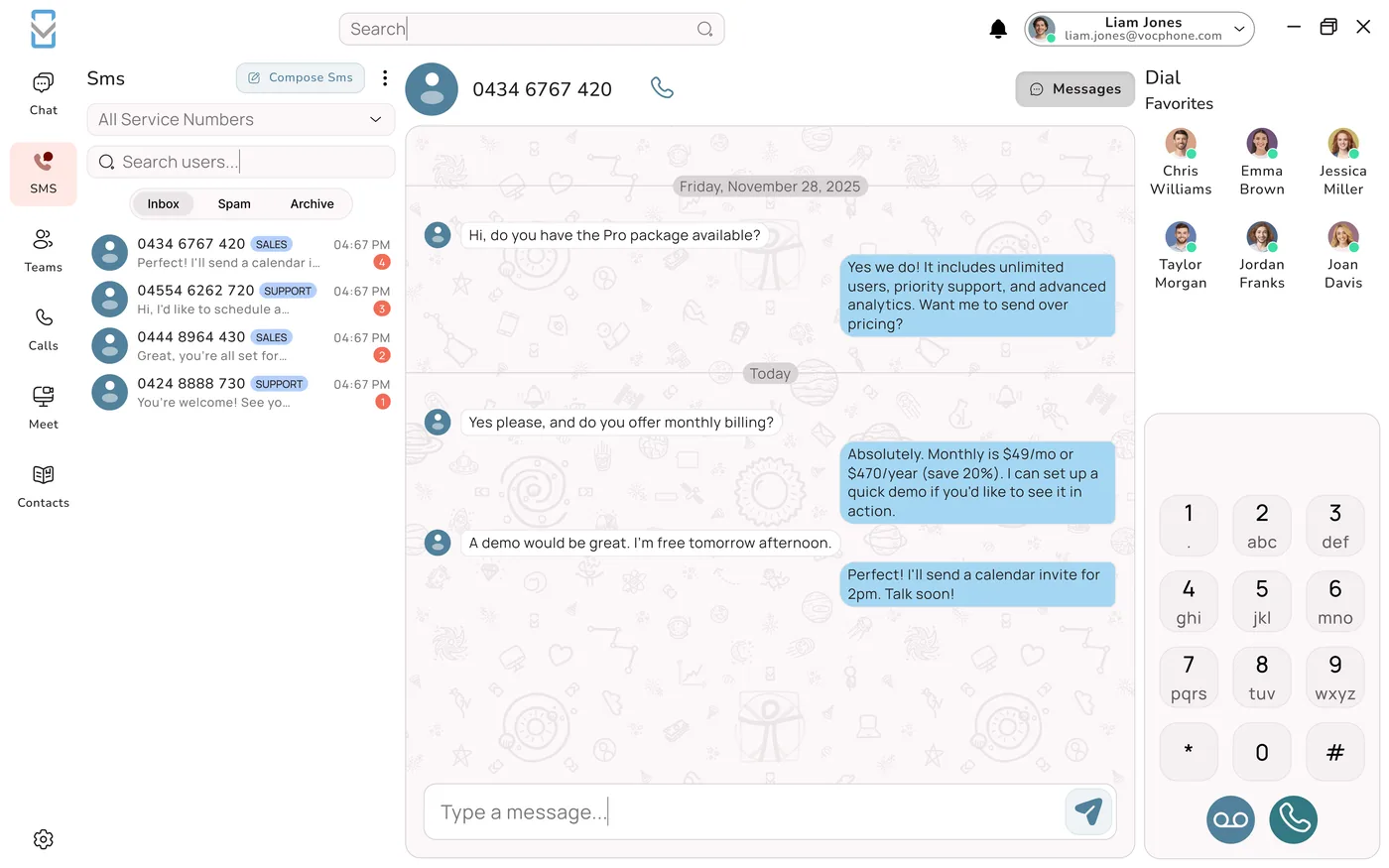
Customers notice the difference. A text from a business number they recognise is more likely to be read than a message from an unknown mobile, and the person replying can see the whole history, not just their own part of it.
From Group Chat to a Team That Works Together
A WhatsApp group is good at one thing: getting a message to everyone quickly. Running a team needs a bit more than that. When a customer calls, the team needs to know who is taking it, who is free, what was said and who is following up. In a group chat, all of that happens by hand.
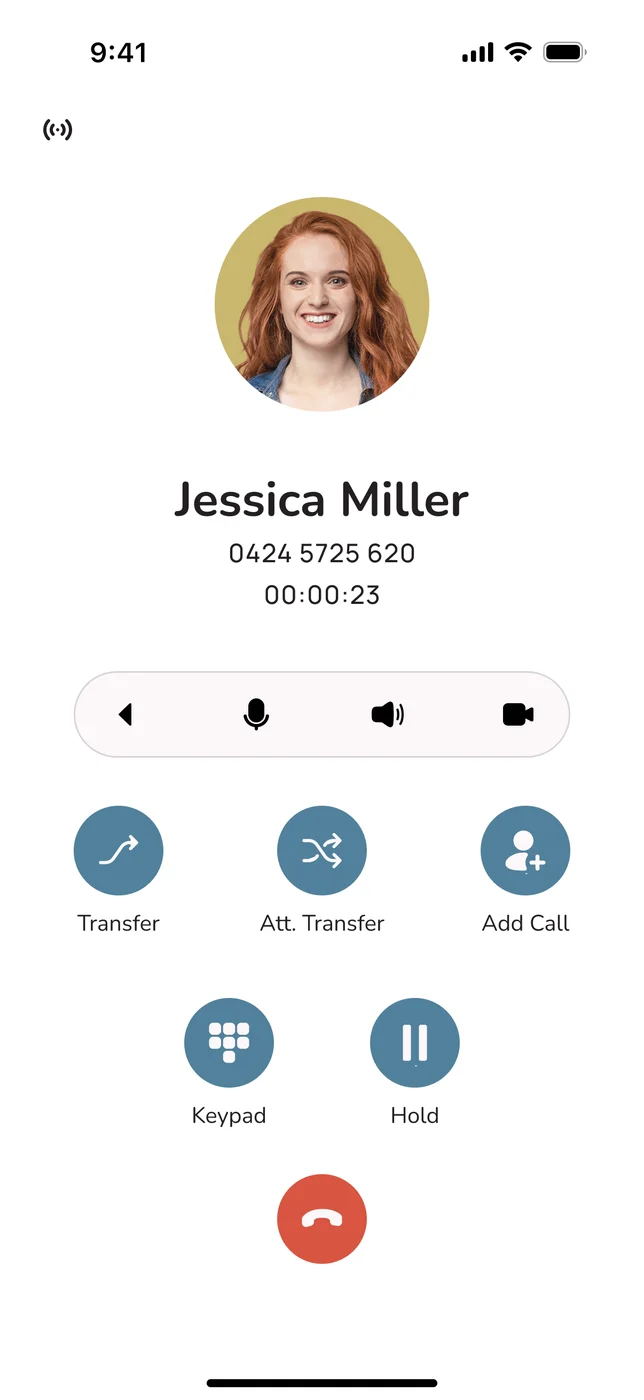
A phone system with built-in team chat keeps the quick group messaging, but connects it to the calls. You can see who is on a call or available before you transfer, hand a caller to a colleague with a quick word first, and find the recording or notes later. When someone leaves, you remove them as a user and the customers, history and number stay with the business.
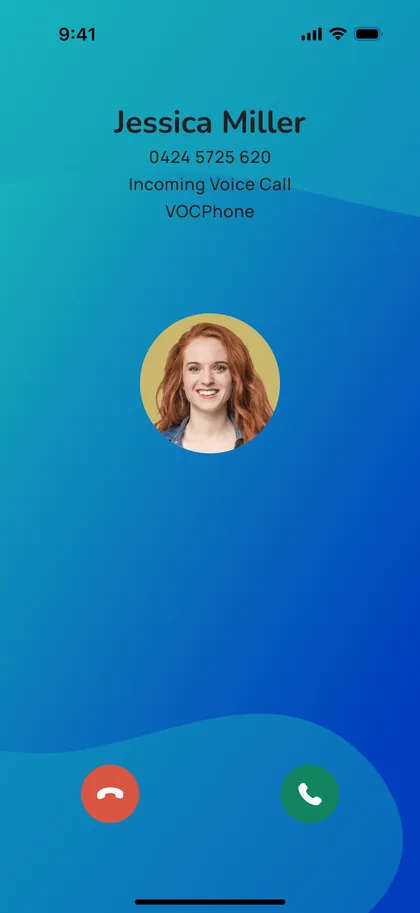
It also gives your staff their personal phones back. Business calls and messages come through the business app, which can go quiet when their shift ends. Their private number stays private.
Measure It, Then Grow It
One of the least talked about benefits of moving off a mobile is that you can finally see your calls. Once the business has a phone system, these are the numbers worth checking each week:
- Missed calls, and how many were returned. The single most useful figure for a growing business.
- Calls by hour and day. Shows when you need cover, and whether longer hours would pay.
- Calls by number. If each campaign or location has its own number, this shows which ones bring in work.
- Time to call back. How long enquiries wait for a reply.
- After-hours calls. How many come in when you are closed, and what an AI agent did with them.
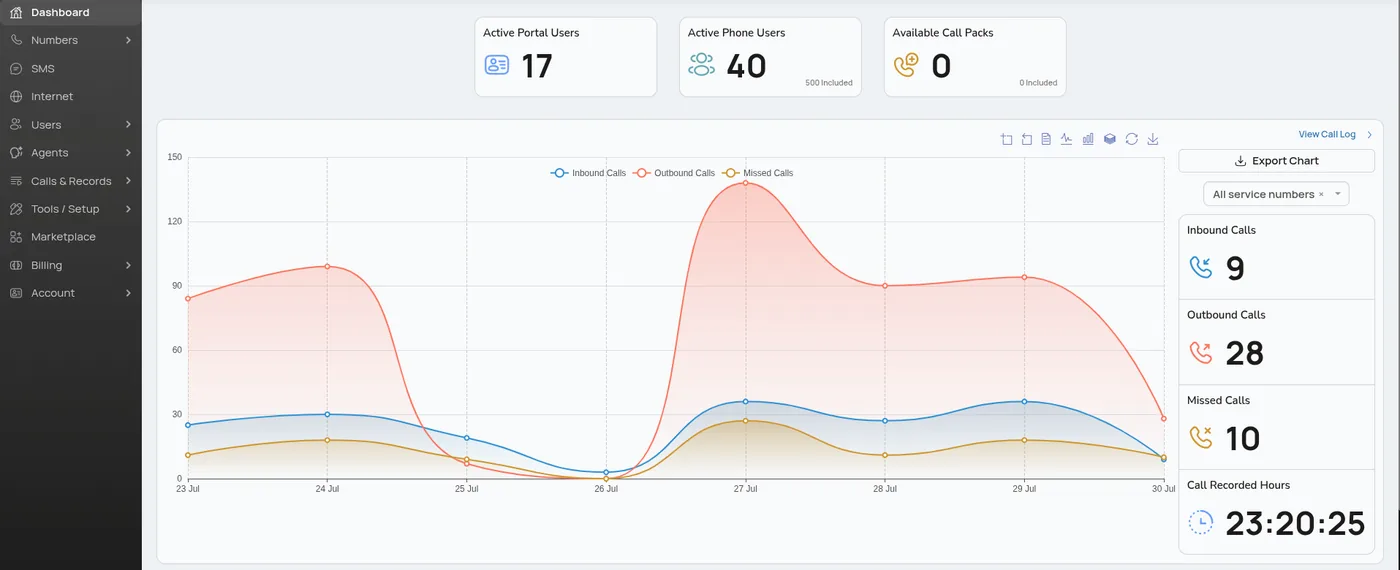
Two or three weeks of these numbers usually answer questions owners have argued about for years, like whether to hire a receptionist, open Saturdays or keep paying for a particular ad.
How the Switch Works
Moving from a mobile and WhatsApp to a phone system is quicker than most people expect. The trick is to set up the new system first and move your number last, so customers never notice the change.
- Decide which number stays. If your current business number is in your name, you can usually port it. If it is your personal mobile and you want to keep it private, take a new business number and phase the old one out.
- Plan who answers what. Who should ring for new enquiries, who for existing customers, and what happens after hours.
- Install the apps. Desktop and mobile apps for each person, plus desk or cordless handsets if you have a counter or office.
- Set your hours and greetings. Business hours, an after-hours message, and an AI agent if you want calls answered when nobody can.
- Move the team conversation. Set up the same groups in the business app and agree that customer details live there, not in WhatsApp.
- Port the number and tell your customers. Once the number moves, send a text from it so regulars save it.
For the mobile side of the setup in detail, see how to put a business number on your mobile.
Never cancel first
Do not cancel your existing number before the port has completed. A cancelled number cannot be ported and may be lost for good. Let the new provider move it, then close the old service.
Growing on VOCPhone
VOCPhone has been running business phones in Australia for more than 15 years. We own and operate our own network rather than reselling someone else's, which is how we keep uptime at 99.99 per cent and stand behind a price match. Our local team takes your call in business hours, and our AI agent picks up after hours.
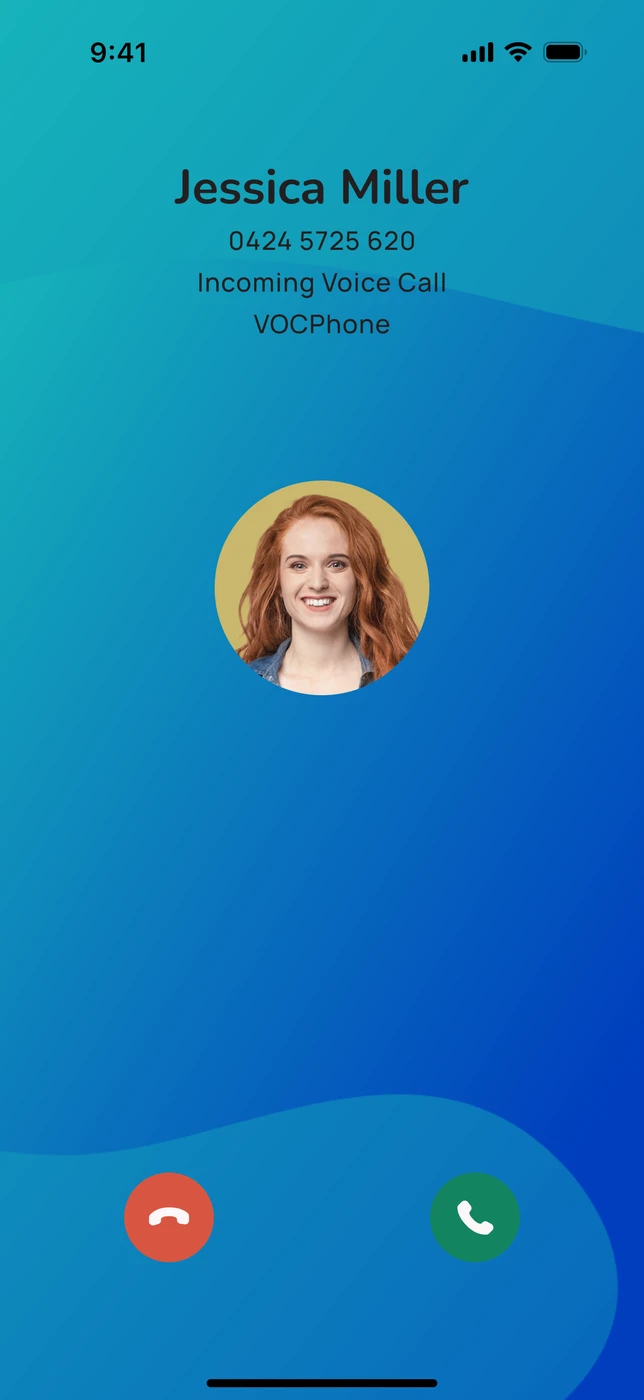
- Mobile and desktop apps for calls, video, chat and SMS on the business number.
- Ring groups, queues and time rules so calls reach the right people at the right time.
- AI Phone Agents with natural Australian voices that answer, qualify, book and pass on messages when your team cannot.
- Call recording and reporting, including missed calls by day and by number.
- Integrations with CRMs and business apps, so calls and contacts flow into the tools you already use.
- Desk and cordless handsets when the business has a counter or an office.
What it costs (illustrative, from vocphone.com/pricing, 18 November 2026)
| Business size | Plan | Monthly |
|---|---|---|
| Owner plus two staff | Business phone plan, 3 users, 36-month term | $84.90 |
| Five people | 3 users plus 2 extra at $30 each | $144.90 |
| Setup and porting | Included | $0 |
AI Phone Agents are priced separately. Ask us for a quote that fits your call volume.
Frequently Asked Questions
When should a small business stop using a mobile as its business phone?
Usually at the first sign that more than one person needs to answer for the business. Common triggers are hiring your first employee, missing calls because you are working, starting to pay for advertising, chasing larger customers, opening longer hours or a second site, and wanting time off. If two or more apply, a phone system will usually pay for itself in calls you no longer miss.
Can I still use my mobile with a business phone system?
Yes. A cloud phone system like VOCPhone runs in an app on your mobile, so you make and take business calls and texts on the same phone. The difference is that calls go out on the business number, can ring your team at the same time, follow business hours, and are logged and optionally recorded.
Is WhatsApp good enough for a small business team?
It is fine for quick messages in a very small team, but it is not connected to your customer calls, every message lives on staff members' personal phones, and the business cannot keep the history when someone leaves. A business phone system with built-in chat and SMS keeps the speed and puts the conversations under the business's control.
How much do missed calls cost a small business?
It depends on how many calls you miss, how many are new work and what a job is worth. As an illustration, a business that misses eight calls a week, where one in four is a $600 job, has about $4,800 of work at risk each month. Not every caller is lost, but even a small share of that is usually far more than the cost of a phone system.
Can customers still text my business if I move off WhatsApp?
Yes. Two-way business SMS lets customers text your business number, and the messages land in a shared inbox in the desktop and mobile apps so anyone on the team can reply. You can also send booking confirmations and reminders from the same number.
How much does a VOCPhone business phone system cost?
As listed on vocphone.com/pricing on 18 November 2026, the business phone plan starts at $84.90 a month for three users on a 36-month term, with $30 a month for each extra user. Setup and porting are $0. AI Phone Agents are priced separately.