










The Point: Connections, Not Features
Every phone system sells itself on a features list, and every features list is nearly identical. Call queues, IVR, voicemail to email, recording, ring groups, reporting. Ten providers, one list, differing mainly in the order.
That list has almost no predictive power. What actually determines whether a phone system earns its money over three years is a different question: what is it joined to? A system with a mediocre feature set that is connected to your CRM, your calendar and every device your staff carry will beat a feature-rich system that sits on its own in the corner. It is not close.
The test to apply to any provider: not “what can it do?” but “what is it wired into, and how hard was that to arrange?” A system that connects to things easily keeps getting more useful. A system that does not is a slowly depreciating asset from the day it is installed.
What follows is the complete inventory, ordered by category rather than importance: the honest ranking comes at the end, and it is not the order you would guess.
1. Apps: the Connection Most Staff Will Use
Start here, because this is where the majority of your people will actually live.
Windows and Mac
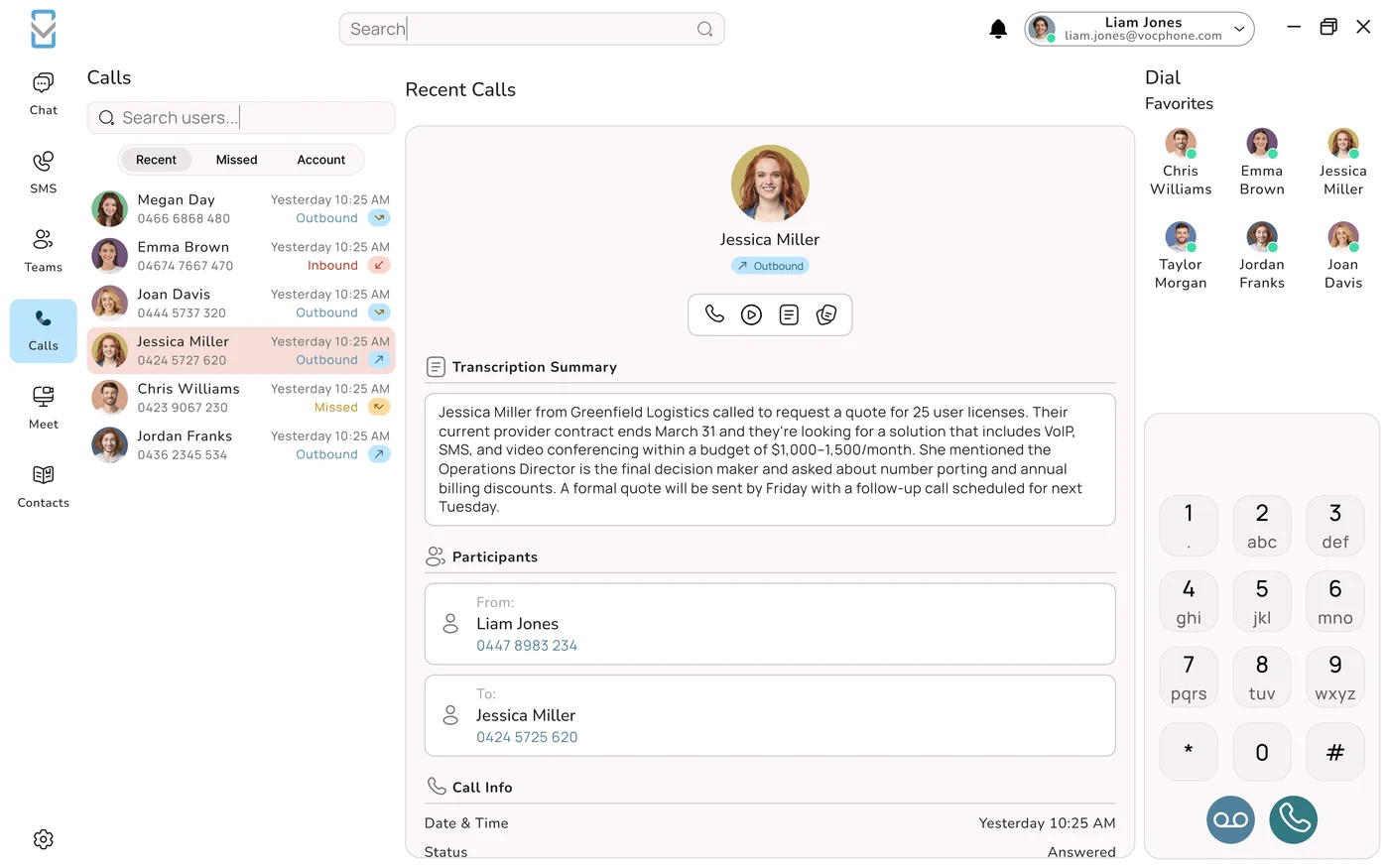
Full softphone on the desktop: calls, transfers, presence, messaging, video and SMS from the machine somebody is already looking at. No handset required, no hardware to buy.
iOS and Android
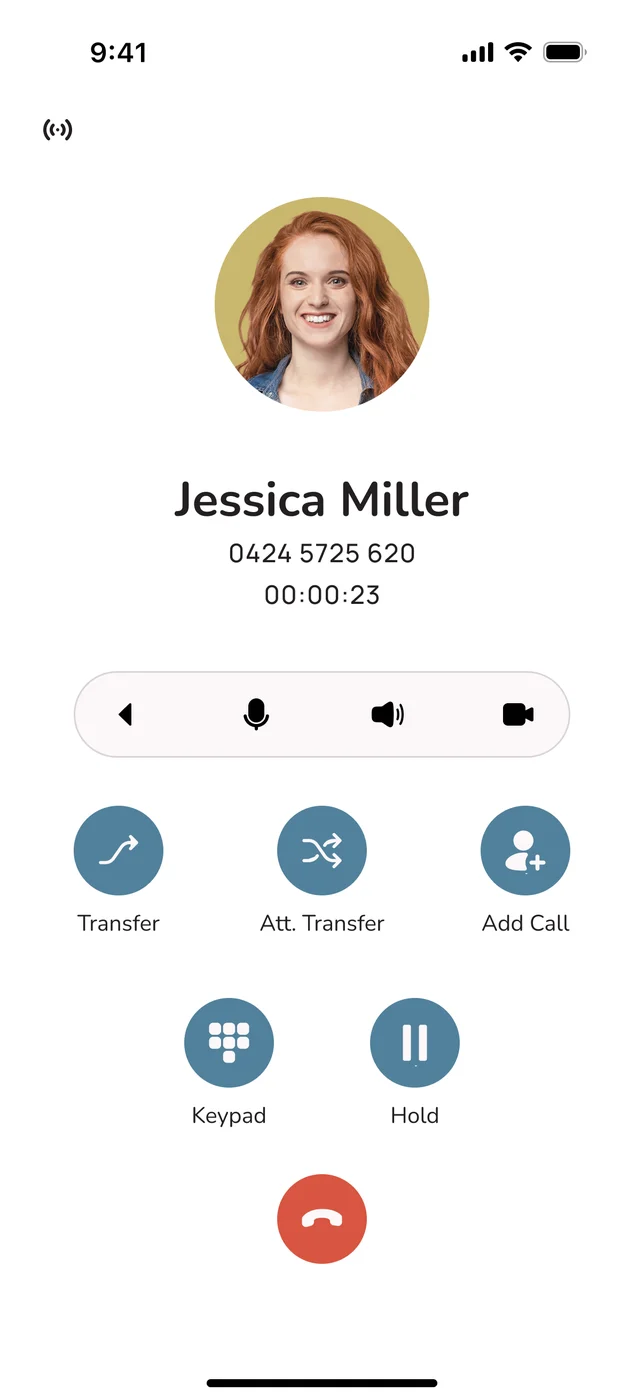
The business number in a pocket. Calls made from the app show the business caller ID rather than a personal mobile, and they are logged and recorded like any other call.
Video meetings
HD video for up to 30 participants, untimed. It is the same platform, the same login, and nobody has to buy a separate meetings product.
SMS and messaging
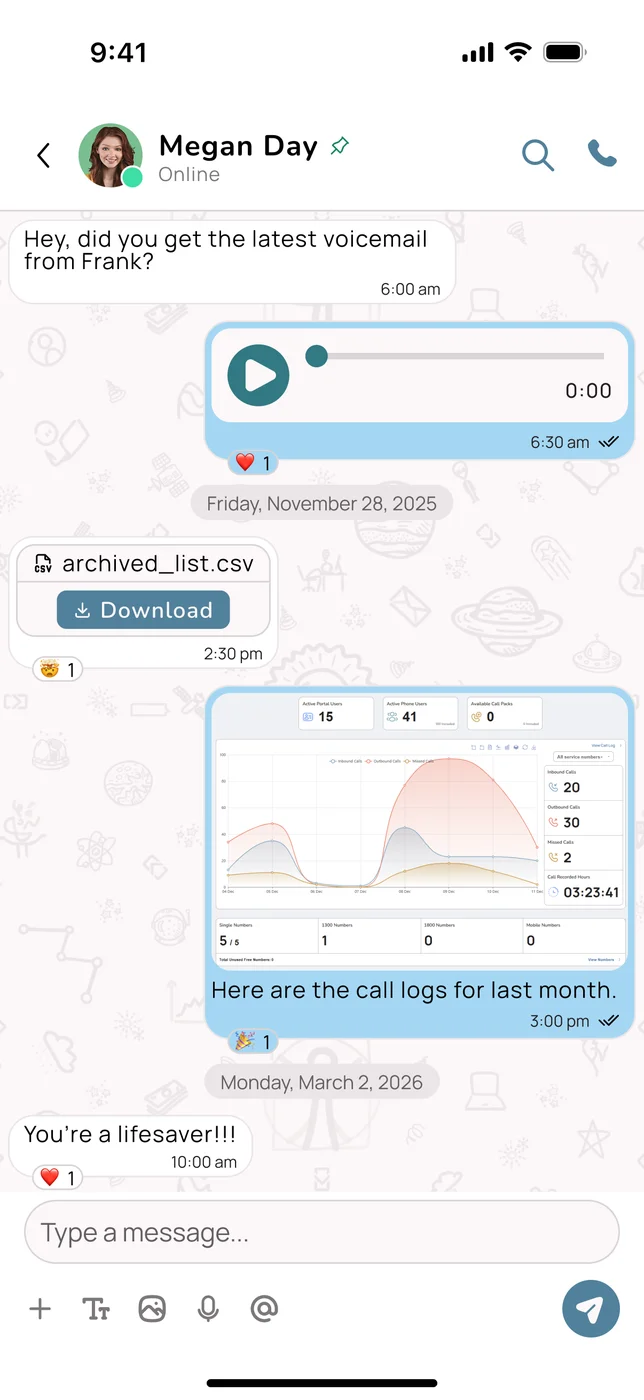
Two-way business SMS from your business numbers, in the same app as the calls, so the conversation is one thread rather than two systems.
The detail that matters commercially: the apps are free and included, not a premium tier. That sounds like a small thing until you price a competitor who charges per seat for the desktop client, and then again for video, and then again for SMS.
The practical consequence people underestimate
If the apps are good and free, the correct number of desk phones for most businesses drops sharply. Every handset you do not buy is a one-off cost avoided and one less thing to move when the office changes. Providers rarely volunteer this, because handsets are revenue. Work out how many desks genuinely need one before you take anybody’s quantity recommendation.
2. Handsets, for the Desks That Earn One
Desk phones are not obsolete. They are just no longer the default.
For a receptionist, an accounts team, a dispatcher or anyone transferring calls constantly, a physical handset with real keys and busy-lamp indicators beside them is faster than any app and never runs out of battery. VOCPhone supplies certified IP desk and cordless handsets and headsets for exactly those roles.
- The handset is registered against an extension. Its MAC address is recorded once, and that is the only association anybody has to make.
- It provisions itself on first boot. Power over Ethernet where the switch supports it, DHCP for an address, then it locates its provisioning server and pulls its whole configuration down.
- Nobody types a SIP password. Which means nobody has to store one, share one, or find one written on a sticky note in 2029.
- Moving it later is a portal edit. Re-point the extension, reset the phone. Staff changes and desk moves stop requiring a technician.
Cordless handsets deserve a specific mention because they solve a problem apps do not: a workshop, a warehouse, a shop floor or a nursing station where somebody needs to answer the business line while walking, without holding a personal phone in a workplace where personal phones are a nuisance or a policy problem.
3. Vehicles: Where Business Numbers Go to Die
This one is rarely on anybody’s list and it costs Australian businesses more than most items that are.
Here is the pattern. A tradesperson, a rep or a service technician spends most of the week in a vehicle. The business number rings the office, where nobody is. So customers learn the personal mobile instead. Within a year, a meaningful share of your customer relationships live on a device you do not own, in a call log you cannot see, held by a person who might leave.
CarPlay and Android Auto
The VOCPhone mobile app works through the vehicle’s head unit, so business calls are hands free, legal, and audible over a diesel engine.
The right number, both ways
Outbound calls present the business caller ID. Customers save the business number, not the person’s mobile.
Still logged and recorded
A call taken in a ute appears in reporting, recording and the CRM exactly like a call taken at a desk. Nothing falls outside the system.
And when nobody can answer
An AI phone agent picks up rather than the call ringing out. Under a house, up a ladder, on a roof: the phone is still answered.
4. Software: the One That Changes the Business
Now the important one. Everything above changes where people can take a call. This changes what happens because of it.
VOCPhone connects to Salesforce, HubSpot, Zoho, Xero, Monday and more than a thousand other applications. The word “integration” is doing a lot of quiet work in most vendor marketing, so here is what it means in practice, in ascending order of value.
| Level | What it does | What it saves |
|---|---|---|
| Screen pop | The customer’s record opens as the phone rings, before you answer. | Ten seconds a call, and the specific embarrassment of asking a regular customer who they are. |
| Click to dial | Dial from the record rather than reading a number across to a keypad. | Misdials, and the friction that stops people making the follow-up call at all. |
| Automatic call logging | Every call attaches itself to the right record with time, duration and direction. | The admin nobody was doing, and the arguments about whether anyone rang back. |
| AI notes and summaries | The call is transcribed and summarised into the record automatically. | Ten to fifteen minutes per person per day, and the institutional memory that normally leaves with staff. |
| Triggered workflow | A missed call creates a task. A booked job creates a calendar entry. A quote request opens a deal. | The dropped follow-up, which is the single most expensive recurring failure in most small businesses. |
The compounding effect
Each of those is individually small. Together they change what a phone call is in your business, from an interruption that leaves no trace into a recorded event that updates your systems by itself. That is the difference between a phone system and a piece of business infrastructure, and it is entirely a function of what the system is connected to.
5. Open APIs, for Everything Not on the List
A thousand pre-built integrations is a lot, and it will still not include the job management system your industry uses that nobody outside it has heard of. That is what open APIs are for.
Open, not "available on request"
The difference between an API you can build against and one you have to negotiate for is the difference between a project you can start on Monday and one that never happens.
What people actually build
Pushing call data into a bespoke job system, triggering a call from a field app, syncing a phonebook from an HR database, reporting into a warehouse.
Why it protects you
An open API means you are never trapped by a provider’s integration roadmap. If they will not build it, someone can.
Why it matters more each year
AI tools are only as useful as the systems they can reach. An API today is the thing that makes an automation possible in 2028.
6. The Internet Underneath It All
The connection that gets forgotten, and the one every other connection depends on.
A cloud phone system runs over your internet service. When that service is congested, oversubscribed or misconfigured, the phone system is what people blame, and the resulting conversation is the oldest argument in Australian business telephony: the phone provider says it is the network, the internet provider says the line tests clean, and the business is left holding a problem that neither will own.
VOCPhone is unusual in this respect because it owns and operates its own network rather than reselling somebody else’s, and can supply the NBN service alongside the phone system. That collapses the argument into a single conversation with a single company.
| Situation | Split providers | One provider |
|---|---|---|
| Calls are breaking up at 4pm | Two vendors, each with a plausible explanation and no obligation to prove it | ✓ One party who can see both halves and cannot pass it on |
| New site needs voice and data | Two orders, two lead times, two install dates that will not align | ✓ One order, one date |
| Voice priority on the connection | Requires the internet provider to cooperate on something they do not sell | ✓ Configured by the party who sold you both |
| Billing | Two invoices, two renewal dates, two price rises at different times | ✓ One of each |
The fuller version of that argument is in bundling phone and NBN with one provider, and the network ownership point is set out in we own the network.
The Full Connection Matrix
Everything, with what it needs and who it suits.
| Connects | What it needs | Best for |
|---|---|---|
| Windows / Mac app | A computer and an internet connection | Anyone at a desk. The default for most staff |
| iOS / Android app | A smartphone, mobile data or Wi-Fi | Field staff, hybrid workers, anyone who moves |
| Certified IP desk handset | Ethernet, ideally with PoE | Reception, accounts, dispatch, high call volume |
| Cordless handset | A base station on the network | Workshops, warehouses, shop floors, clinics |
| Headsets | A handset or a computer | Anyone on calls for hours at a time |
| CarPlay / Android Auto | A compatible head unit and the mobile app | Utes, vans, reps, service vehicles |
| CRM integrations | An account on the CRM | Sales, service, anyone with repeat customers |
| Accounting and ops tools | Xero, Monday and similar | Quoting, invoicing and job workflows |
| 1000+ app integrations | Varies by app | Whatever else the business already runs |
| Open APIs | Someone who can build, or a provider who can | Industry-specific and bespoke systems |
| Business SMS | Nothing extra: it is in the apps | Reminders, confirmations, two-way conversations |
| HD video meetings | Nothing extra: up to 30, untimed | Replacing a separate meetings subscription |
| AI phone agents | Configuration, not installation | After hours, overflow, the calls you currently miss |
| NBN / internet | An address and a service date | Everyone. This is the layer underneath the rest |
Ranked by What They Are Actually Worth
Not the order most people assume, and worth arguing with.
1. Software integrations
The only connection that changes what happens after a call. Everything else changes where a call can be taken; this changes whether the call leaves a trace, updates a record and triggers the follow-up. Highest return by a wide margin, and the one most businesses set up last or never.
2. Apps on every device
Determines whether the phone system is present in your business or merely installed in it. Free, immediate, and it decides how many handsets you need to buy.
3. The internet underneath
Invisible when it works and the cause of every complaint when it does not. Buying it from the same provider removes an entire category of unwinnable argument.
4. Handsets
Genuinely better than an app for a handful of specific roles, and unnecessary for most others. Buy for the role, never for the headcount.
5. Vehicles
Ranked last because it applies to fewer businesses, but for a trades or field service operation it belongs at number two, because it is how business numbers stop leaking into personal mobiles.
The Order to Do This In
Nobody connects everything at once, and attempting it is how projects stall. A sequence that works:
- Apps first, everyone, week one. Free, instant, and it tells you immediately who actually needs a handset. Do not buy hardware before this step.
- Then the CRM. One integration, one afternoon. Screen pop and automatic logging deliver a visible improvement fast, which is what keeps a project alive.
- Then handsets, for the roles that need them. Reception, accounts, dispatch. By now you know which desks those are rather than guessing.
- Then the internet, at renewal. No urgency, but when the contract comes up, moving it to the same provider removes the argument permanently.
- Then the AI and the automations. Last, because they work best on top of a system that is already connected to everything else. An AI agent with access to your CRM is useful; one without access is a voicemail with better manners.
If you want to go deeper on the piece that matters most, phone system integrations and APIs covers the software layer properly, and what a cloud phone system is is the starting point if you are earlier in the process than this article assumes.
Frequently Asked Questions
What devices work with VOCPhone?
Five categories. Softphone apps for Windows, Mac, iOS and Android, which are free and included rather than a premium tier, and which handle calls, transfers, presence, messaging, HD video for up to 30 participants and two-way business SMS from the same login. Certified IP desk handsets, which register to the platform with zero-touch provisioning so nobody types a SIP password. Cordless handsets on a base station, for workshops, warehouses, shop floors and clinics where somebody needs to answer the business line while walking without carrying a personal phone. Headsets, wired or wireless, for anyone on calls for hours. And vehicles, through CarPlay and Android Auto using the mobile app, so business calls in a ute are hands free, present the business caller ID and are logged and recorded exactly like a call taken at a desk. Most businesses end up with a mix, and the useful discipline is to roll out apps to everyone first and only then work out which desks genuinely warrant a handset.
What does VOCPhone integrate with?
Salesforce, HubSpot, Zoho, Xero, Monday and more than a thousand other applications, plus open APIs for anything not on the list. What matters more than the count is what an integration actually does, and there are five levels worth distinguishing. Screen pop opens the customer record as the phone rings, which saves ten seconds a call and the embarrassment of asking a regular who they are. Click to dial removes misdials and the friction that stops people making the follow-up call at all. Automatic call logging attaches every call to the right record with time, duration and direction, removing admin nobody was doing properly. AI notes and summaries transcribe and summarise the call into the record, saving ten to fifteen minutes per person per day and capturing institutional memory that otherwise leaves with staff. And triggered workflow turns a missed call into a task or a booked job into a calendar entry, which addresses the dropped follow-up - the single most expensive recurring failure in most small businesses.
Do I need desk phones if the apps are free?
Fewer than you think, and probably fewer than you will be quoted. Desk phones are genuinely better for a specific set of roles: reception, accounts, dispatch, and anybody transferring calls constantly, where physical keys and busy-lamp indicators beside them are faster than any app and the device never runs out of battery. Cordless handsets solve a related problem in workshops, warehouses, shop floors and clinics, where somebody needs to answer the business line while moving without holding a personal phone. For everyone else - hybrid workers, field staff, people who take a handful of calls a day, anyone in and out of vehicles - the free Windows, Mac, iOS and Android apps do the job better, because a phone in a pocket goes places a desk does not. The practical approach is to roll the apps out to everyone in week one, watch who actually reaches for a handset, and buy for those roles only. Every handset you do not buy is a cost avoided and one less thing to move when the office changes.
Can VOCPhone supply my internet as well as my phone system?
Yes, and it removes the oldest argument in Australian business telephony. A cloud phone system runs over your internet service, so when that service is congested or misconfigured the phone system is what gets blamed - and the conversation that follows is the phone provider saying it is the network, the internet provider saying the line tests clean, and the business holding a problem neither will own. VOCPhone owns and operates its own network rather than reselling somebody else's, and can supply the NBN service alongside the phone system, which collapses that into one conversation with one company. The practical benefits show up in four places: call quality problems have a single owner who can see both halves and cannot hand them on, a new site is one order with one install date rather than two that will not align, voice priority on the connection is configured by the party who sold you both, and you get one invoice with one renewal date rather than two price rises arriving at different times of the year.
What are open APIs and why do they matter for a phone system?
An open API is a documented, publicly available way for other software to talk to your phone system - place calls, receive call events, read call data, sync contacts - without needing the provider to build a specific integration for you. It matters for three reasons. First, coverage: a thousand pre-built integrations is a lot and it still will not include the job management system your particular industry runs, so the API is what makes that connection possible at all. Second, independence: with an open API you are never trapped waiting on a provider's integration roadmap, because if they will not build it, someone else can. Third, and increasingly the important one, AI tools are only as useful as the systems they can reach, so an API you have today is what makes an automation possible in two years' time. The distinction worth testing is between an API you can read the documentation for and start building against on Monday, and one that is 'available on request', which usually means a negotiation that never concludes.
How do I stop customers calling staff mobiles instead of the business?
Put the business number on the device they already carry, and make sure it is what customers see. The pattern that causes the problem is predictable: field staff spend the week in a vehicle, the business number rings an office where nobody is sitting, so customers learn the personal mobile instead, and within a year a meaningful share of your customer relationships live on a device you do not own, in a call log you cannot see, held by someone who might leave. The fix has three parts. The VOCPhone mobile app puts the business line in the pocket, and outbound calls from it present the business caller ID, so customers save the business number rather than the individual's. CarPlay and Android Auto make those calls hands free and audible in a vehicle, so there is no incentive to fall back to the personal handset. And an AI phone agent answers when nobody can, so a customer who rings the business number gets a response rather than a ring-out that teaches them to try the mobile next time.
In what order should I connect everything?
Five steps, and the order matters more than the speed. Apps first, to everyone, in week one - they are free and instant, and rolling them out tells you which desks genuinely need a handset instead of guessing, so never buy hardware before this step. The CRM second: one integration, one afternoon, and screen pop plus automatic call logging produce a visible improvement quickly, which is what keeps a project alive past the enthusiasm phase. Handsets third, only for the roles that have proved they need one, typically reception, accounts and dispatch. The internet fourth, at contract renewal rather than urgently, because moving it to the same provider permanently removes an entire category of unwinnable argument about whose fault the call quality is. AI and automations last, because they work best on top of a system already connected to everything else - an AI agent with access to your CRM is genuinely useful, while one without access is a voicemail with better manners.