










What actually changed in 2026
Call notes used to be a chore that happened after the call, if it happened at all. Someone would scribble on a pad, half-remember the details, and get around to updating the CRM sometime that afternoon, or never. By 2026 the technology to do it automatically is mature, cheap and, frankly, everywhere. Otter, Fireflies, Gong, Plaud and a long list of UCaaS vendors all shipped call-note products, with entry pricing landing somewhere around US$8 to US$20 per user per month (illustrative: check current pricing before you budget).
So the interesting question is no longer "can AI transcribe and summarise a conversation?" It clearly can. The question is "will it actually capture the conversations my business relies on?" For most Australian businesses, the conversations that matter are phone calls: the quote enquiry, the support escalation, the account manager calling a customer back. And that is exactly where a lot of the popular tools fall over.
100%
of calls captured when transcription runs at the network layer
0
bots to invite or meeting links to paste for a phone call
3-in-1
transcript, summary and action items from a single call
The meeting-bot blind spot
Here is the architectural detail almost no vendor puts on the pricing page. The majority of AI notetakers are built as meeting bots. They work by joining a Zoom, Teams or Google Meet video call as an extra participant, that little "Fireflies Notetaker has joined" tile you have seen, then they listen to the meeting audio and transcribe it.
That model is fine for scheduled video meetings. But think about what it requires: a meeting, with a joinable link, that a software agent can be invited into. An ordinary phone call has none of those things. There is no meeting for a bot to "join" when a customer rings your mobile, or when your salesperson dials out from the desk app. The PSTN and mobile networks were never designed to admit a third software participant on demand.
The result is a quiet coverage gap. Teams buy a shiny notetaker, use it happily for internal video calls, and never notice that the highest-value conversations, live customer phone calls, are sailing straight past it untranscribed.
✕ Meeting-bot tools: capture video meetings only; blind to PSTN and mobile phone calls
✓ Phone-native platform: captures every inbound, outbound and internal call at the call layer
◐ Some UCaaS add-ons: capture platform calls, but only if the call stays inside their app and the feature tier is unlocked
Phone-native transcription, explained
A phone-native provider takes the opposite approach. Instead of trying to send a bot into the conversation, it captures the audio where the call already lives, on the network and in the call itself. Because VOCPhone owns and operates its own network rather than reselling someone else's, transcription can be applied at the call layer for every call that runs through the platform: the desk phone, the softphone on a laptop, and the mobile app in someone's pocket.
Practically, that means nobody has to remember anything. No inviting a bot, no pasting a link, no "oh, I forgot to hit record." The call happens, and when it ends the transcript and summary are simply there. This is the difference between transcription as a bolt-on and transcription as a native property of your phone system.
Every call, not just meetings
Inbound sales enquiries, outbound follow-ups and internal calls are all captured: the ones a meeting bot can never reach.
Mobile app included
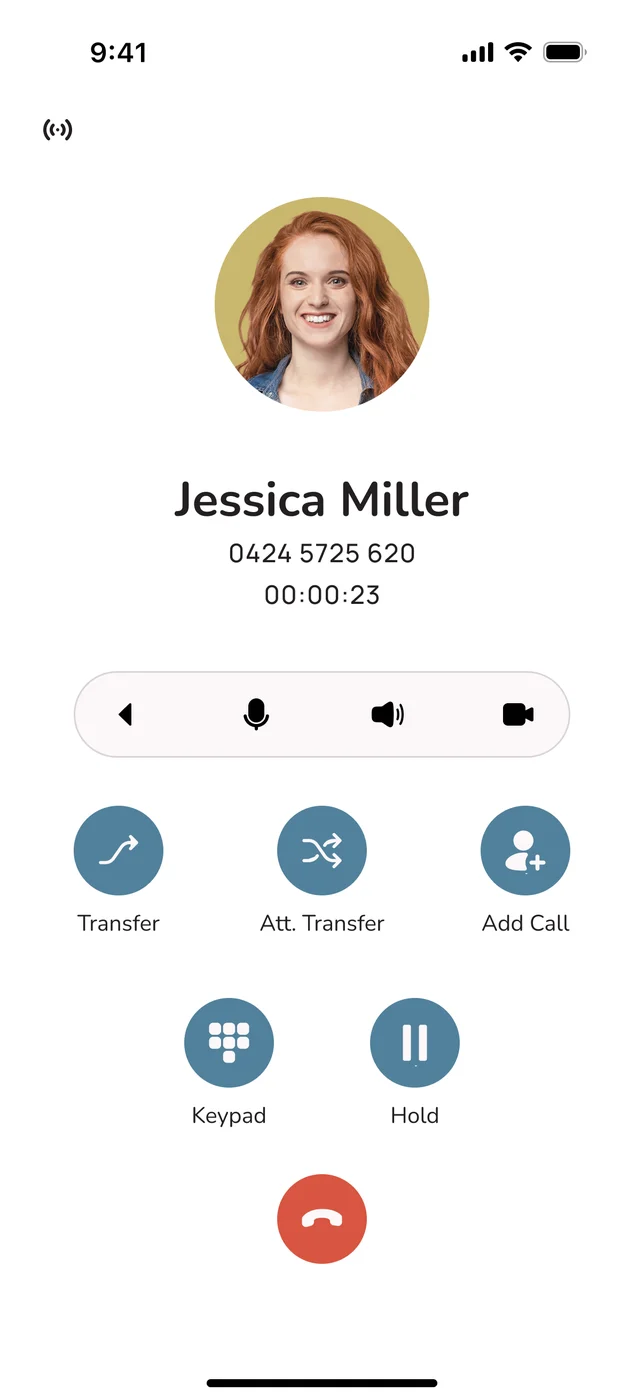
Calls taken on the iOS or Android app are captured the same way as desk calls, so people on the road are not a blind spot.
Cleaner audio in
Capturing at the network layer avoids a bot straining to hear through a laptop microphone, which helps transcription accuracy.
Onshore by default
Australian-owned and Australian-hosted, so recordings and transcripts stay in the country rather than being shipped offshore.
From call to CRM note in one flow
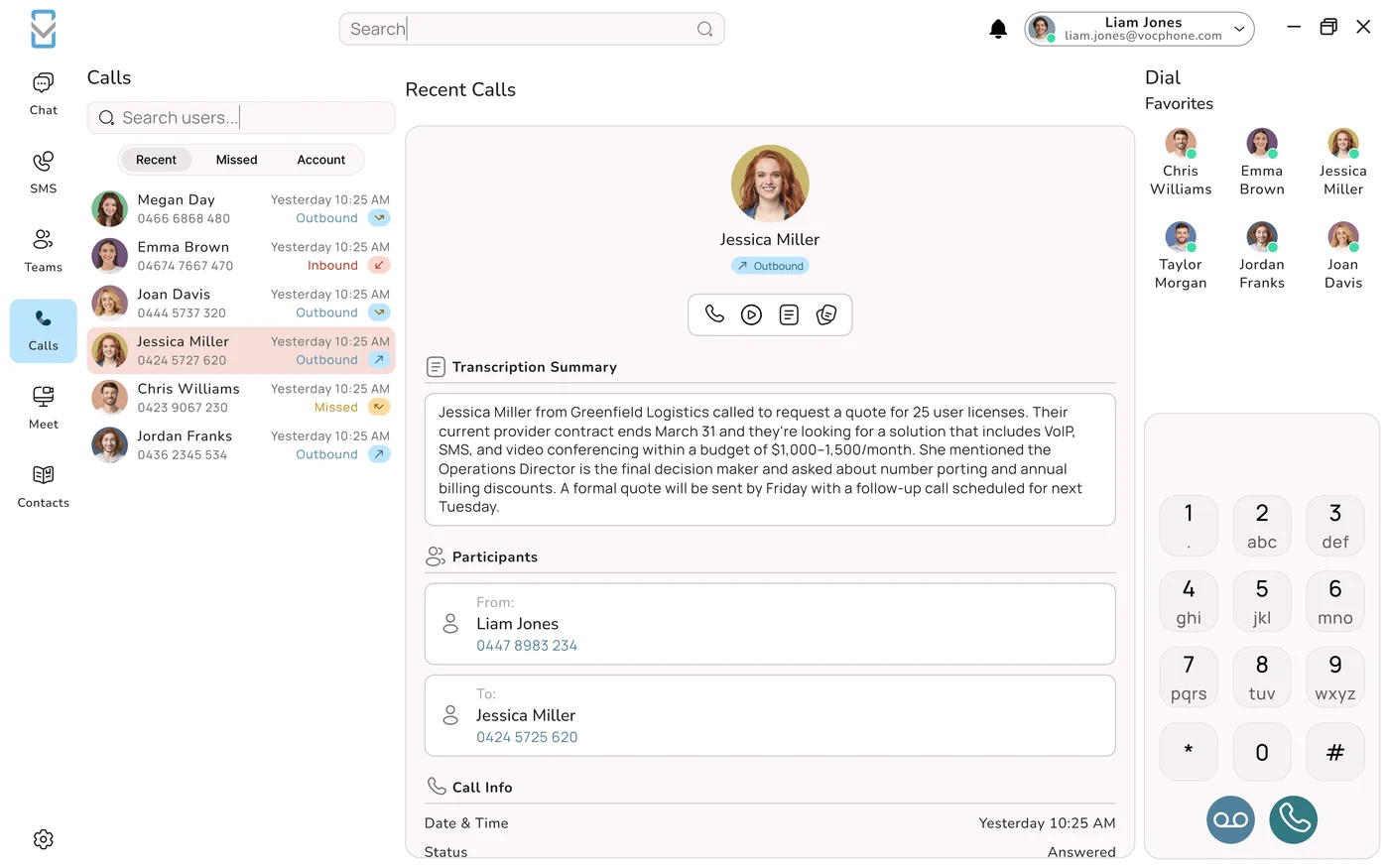
The magic is not really the transcript: a wall of text is not what a busy account manager wants. The value is in what happens after the words are captured. A good conversation-intelligence workflow turns one call into four useful outputs, and then files them for you.
- Transcribe. The call is converted to text, ideally with speaker labels so you can tell the customer from your rep.
- Summarise. AI condenses the call into a short, readable summary (who called, what they wanted, what was agreed) so you do not have to read the whole thing.
- Extract action items. The follow-ups get pulled out as a list: "send pricing", "book a site visit Thursday", "call back after the customer speaks to their partner".
- Sync to the CRM. The call is logged against the right contact or deal, the summary drops into the activity notes, and the action items become tasks. No copy-paste.
Why the last step is the one that matters
Transcription and summaries are useful on their own, but they still leave a human to do the filing. The moment the summary lands in the CRM against the correct record automatically, the admin cost of a call drops to roughly zero, and that is what actually changes behaviour across a sales or support team.
Auto-notes in Salesforce, HubSpot & Zoho
Auto-notes only help if they land in the system your team already lives in. When a call ends, VOCPhone can push the transcript and summary into your CRM through its integration: the call is matched to the contact or deal, the summary and action items are written into the activity or note fields, and follow-up tasks can be created automatically. That works across Salesforce, HubSpot, Zoho, Xero, Monday and 1000+ other apps.
| CRM | What lands automatically | Typical use |
|---|---|---|
| Salesforce | Call logged to the Contact/Opportunity, summary in the activity, tasks created | Pipeline-driven sales teams tracking every touch on a deal |
| HubSpot | Call timeline entry with summary, associated to the deal, follow-up tasks | Marketing-to-sales handover and lifecycle reporting |
| Zoho | Activity note on the Lead/Contact with summary and next steps | Cost-conscious SMBs running the full Zoho suite |
| Xero / Monday / 1000+ | Call context routed to the right record or board | Ops, finance and project teams that need call outcomes in-context |
The point of an all-in-one, phone-native platform is that this is one system, not a stack of three or four tools stitched together with a fragile automation. The call is captured, transcribed, summarised and synced by the same platform that carried the call: fewer moving parts, fewer places for a note to go missing.
What teams actually do with it
Once every call is captured and summarised, the use cases stack up quickly. This is where the feature stops being a novelty and starts paying for itself.
Faster, better follow-up
Action items are captured on the call, so nothing gets forgotten between hanging up and getting back to the desk.
Searchable call history
Every conversation becomes searchable text. "What did we promise that customer in May?" is answerable in seconds.
Coaching & QA
Managers can review summaries instead of relistening to hours of audio, and spot coaching moments across the team.
Clean handovers
When a call gets passed to another rep or a manager, the full context travels with it in the CRM record.
A realistic before-and-after
Before: a rep takes a 12-minute quote call, jots three words on a sticky note, and updates the CRM two days later from memory. After: the call is transcribed, a three-line summary and two action items appear on the deal automatically, and the follow-up task is already sitting in tomorrow's list. Same call, a fraction of the admin, and nothing lost.
Consent & compliance in Australia
Recording and transcribing calls is powerful, and it comes with genuine obligations. In Australia there is no single national rule: call recording is governed by state and territory listening-devices and surveillance-devices laws, which vary from state to state, on top of your obligations under the Privacy Act 1988 and the Australian Privacy Principles for how you store and use the data.
The practical, safe posture that most businesses adopt is simple: tell people. A clear recorded-line notice at the start of the call, "this call may be recorded and transcribed for quality and record-keeping", plus a documented internal policy covers most bases and, just as importantly, sets the right expectation with the customer.
General information, not legal advice
The rules differ by state and by situation, and this article is general information only. Before you switch on call transcription, confirm the specific requirements for the states you operate in with your own legal adviser, and make sure your recorded-line notice and data-handling policy are in place. Where your data is stored also matters: VOCPhone keeps recordings and transcripts onshore in Australia and behind role-based access, which makes the compliance conversation a lot shorter.
Rolling it out without the mess
You do not have to boil the ocean. Most teams get the best result by starting narrow and expanding once the workflow proves itself.
- Pick one team. Start with sales or support, wherever call volume and follow-up pain are highest, rather than the whole business at once.
- Turn on the recorded-line notice. Get the consent posture right before you capture a single call.
- Connect the CRM. Map calls to the right object (Contact, Deal, Lead) and decide which fields the summary and action items should write to.
- Tune the vocabulary. Add product names, suburbs and industry terms so the transcription gets them right from day one.
- Review, then expand. Check the summaries for a week, confirm the CRM notes are landing cleanly, then roll it out wider.
One platform beats a tool stack
Because transcription, summaries, CRM sync, call recording, the mobile app and even AI Phone Agents live inside the same VOCPhone platform, you are configuring one system with one support team behind it (Australian, 24/7 and human) instead of integrating a notetaker, a dialler and a recorder from three different vendors.
Frequently Asked Questions
Why do most AI notetakers fail on ordinary phone calls?
Most AI notetakers are meeting bots designed to join a Zoom or Teams video meeting as a participant. A regular phone call over the PSTN or a mobile network has no meeting for a bot to join, so those tools simply cannot capture it. A phone-native provider transcribes at the network and call layer instead, so every inbound, outbound and mobile-app call is captured automatically without anyone dialling in a bot.
Does AI call transcription work on inbound and outbound calls?
Yes. Because VOCPhone transcribes at the call layer on a network we own and operate, it captures inbound, outbound and internal calls across the desk app, softphone and mobile app. You do not need to remember to start a bot or paste in a meeting link, which is exactly where meeting-bot tools tend to miss calls.
How do AI call notes get into Salesforce, HubSpot or Zoho?
When a call ends, the transcript and summary are generated and pushed into your CRM through its integration. The call is logged against the matching contact or deal, the summary and action items are written into the activity or note fields, and follow-up tasks can be created automatically. VOCPhone integrates with Salesforce, HubSpot, Zoho, Xero, Monday and 1000+ other apps.
Do I need consent to record and transcribe calls in Australia?
Recording and transcribing calls in Australia is governed by state and territory listening and surveillance-devices laws, which vary, as well as Privacy Act obligations for how you store and use the data. The common, safe approach is to give a clear recorded-line notice at the start of each call and to have a documented policy. This article is general information, not legal advice, so confirm the requirements for your states with your own adviser.
How accurate is AI transcription for Australian accents and business terms?
Modern speech models handle Australian accents and conversational speech well, and accuracy keeps improving. Clear audio helps, and a network-layer capture generally gives cleaner audio than a bot listening through a laptop microphone. You can also improve results by keeping a custom vocabulary of product names, suburbs and industry terms so they are transcribed correctly.
Where is my call data stored and who can access it?
VOCPhone is Australian owned and Australian hosted, so your call recordings, transcripts and summaries stay onshore rather than being sent offshore. Access is controlled by role-based permissions so managers, agents and administrators only see what they are entitled to, which matters when transcripts contain customer and commercial information.