










The Same Call, Taken Twice
Take the tenant with the leaking hot water system and run the call two ways. Same property manager, same tenant, same four minute conversation.
| Moment | Typing the notes | AI taking the notes |
|---|---|---|
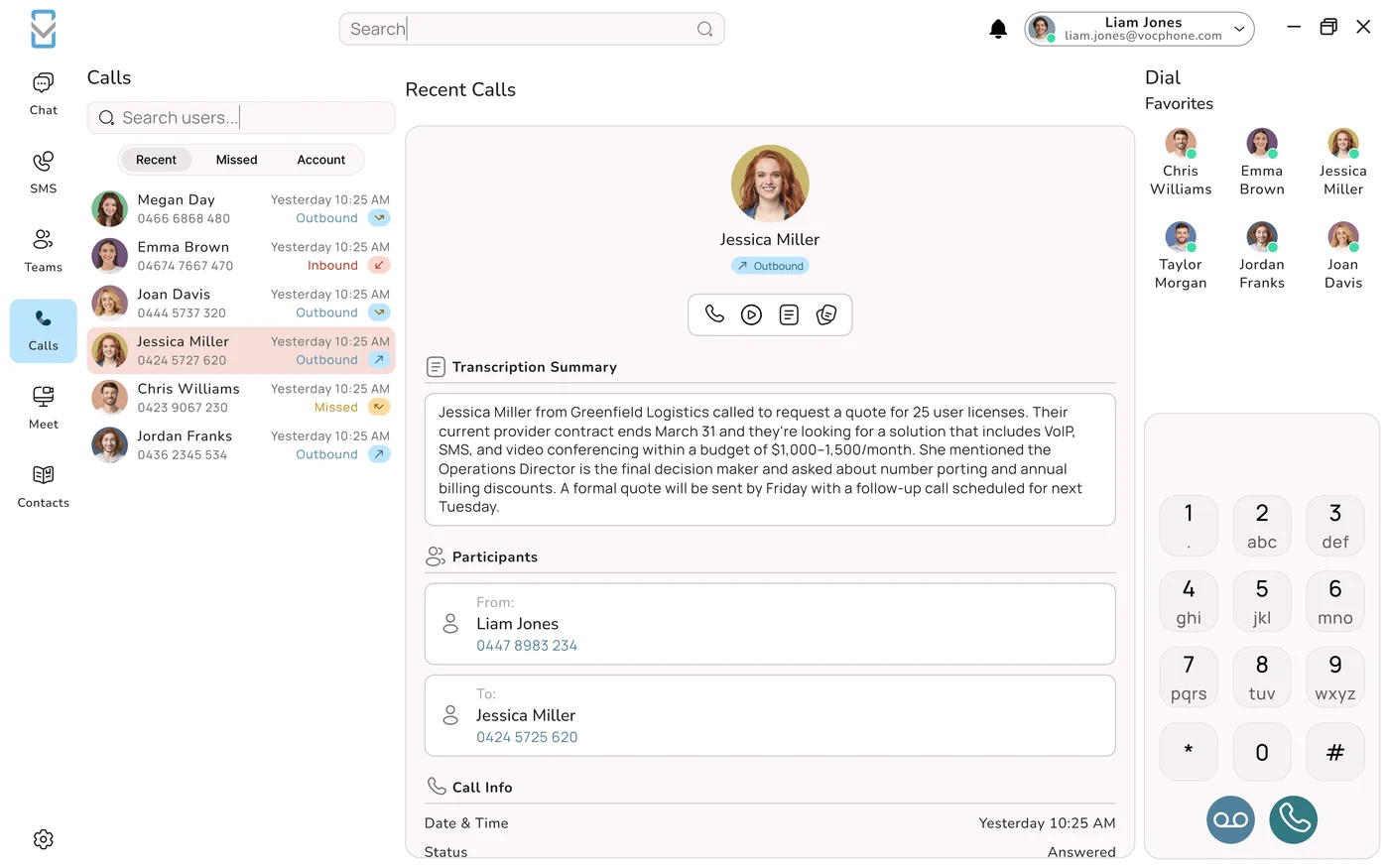
| First 30 seconds | Looks at the screen, searches the tenancy, asks for the unit number twice. | The caller's number has already matched the tenancy. She greets the tenant by name and asks what is going on. |
| The problem | Types "HWS leaking, water on floor" while the tenant is still explaining. | Listens to the whole explanation, asks whether anyone is at risk, hears about the toddler. |
| The detail that matters | Misses that the isolation valve is behind the washing machine. | Hears it, repeats it back, and it is in the transcript. |
| The commitment | "I will get someone out to you." | "I will have a plumber call you within the hour, and I will text you once they are booked." |
| After the call | Two minutes writing the note, then booking the plumber. | Thirty seconds checking the summary, fixes one spelling, approves it. The plumber booking starts from the note. |
| What the record says | "HWS leaking unit 4. Tenant to be contacted." Written from memory. | Tenant, unit, urgency, toddler at home, valve location, plumber callback within the hour, SMS to follow. |
The second version is better for the tenant, who felt heard. It is better for the plumber, who knows where the valve is before arriving. It is better for the office, which now has an accurate record if the owner later asks what happened. And it is better for the next two callers, who waited ninety seconds less. None of this needed a better property manager. It needed her hands off the keyboard.
Why Your Ears and Your Keyboard Compete
Listening to someone and writing about what they are saying are both language work, and people do language work one piece at a time. When you type during a call you are switching back and forth between the two, very fast, and each switch drops a little of what was said. That is why people who type during calls ask callers to repeat themselves so often, and why their notes record the facts but miss the reason the customer rang.
Customers can hear it. They hear the keys, the gaps, the slightly distracted "yep, yep". Most will not complain about it. They will simply feel that they were processed rather than helped, and that feeling is a big part of how people judge a business on the phone.
There is a quieter cost too. Because typing during a call is hard, people type less than they should and fill in the rest afterwards from memory. A note written from memory is a reconstruction, and reconstruction is where "I am sure they said Wednesday" comes from. Every business has a dispute or two a year that comes down to a note like that.
The best note taker on a call is the one who is not also trying to have the conversation. For most of the history of business phones that meant a second person or nothing. Now it means the phone system, which can write down everything while the person on the line does the part that needs a person.
The Minutes After Every Call
Most businesses count calls and some count talk time. Very few count the minutes after each call where someone finishes the note, updates a system and gets ready for the next caller. That after-call work, sometimes called wrap-up, is time the person is not available to answer. As far as your queue is concerned, the call has not ended yet.
Wrap-up feels too small to matter. The trouble is that queues are not linear. When a team is lightly loaded, adding a minute to each call changes very little. When a team is busy, the same minute can double or triple how long people wait, because every call that takes a little longer pushes all the calls behind it back.
Here is an illustrative example using the Erlang C model, the standard formula contact centres use to plan staffing. These are modelled numbers, not measurements from a real business.
| Five people, thirty calls in the busiest hour, five minutes of talk each | Three minutes of wrap-up | One minute of wrap-up |
|---|---|---|
| Each call occupies someone for | 8 minutes | 6 minutes |
| Team busy | About 80% of the hour | About 60% of the hour |
| Callers who have to wait | About 55% | About 24% |
| Average wait across all callers | About 4.5 minutes | About 45 seconds |
Two minutes saved per call, and the average wait falls by roughly five sixths. The same team also has noticeably more breathing room in the hour, which matters for the calls that run long and the days when someone is off sick. And because some callers who wait four minutes hang up and do not ring back, the difference shows up in lost enquiries as well as in patience.
If you want to know what your own numbers look like, our article on five call queue numbers your phone system should report explains what to pull from your reports, and do you actually have a queue helps you decide whether you need contact centre software at all.
What Changes on the Desk
AI note taking does not remove work from the person on the phone. It moves it. They stop writing and start checking, and they take on a small speaking habit that makes the checking fast.
| Task | Before | With AI notes |
|---|---|---|
| Capturing what was said | The person, typing, during and after the call | The phone system, automatically |
| Deciding what matters | The person, while typing | The summary template, set once, plus the person during review |
| Getting the details right | The person, from memory | The person, by saying details out loud and checking them |
| Recording promises | Often forgotten | Captured if spoken, turned into a task on approval |
| Putting the note on the record | Copy and paste, or retype | Written to the CRM or job on approval |
| Settling a dispute later | Whatever the note says | The approved summary, with the transcript behind it |
If you want the background on how transcription works and how summaries reach a CRM, we covered that separately in AI call transcription, summaries and CRM notes. The short version: when transcription runs inside the phone system rather than through an app someone has to start, every call through your business numbers can be covered, including calls answered on the mobile app.
Five Speaking Habits for Accurate Notes
An AI summary can only contain what was said. These five habits make sure the important things are said, and they happen to be what good phone staff already do.
1. Read numbers back. Phone numbers, reference numbers, prices, quantities, dates. "That is unit 4, 17 Carrington Street, and your mobile is 0423 118 760." Numbers are where transcription slips most, and a read-back gives the system a second clean pass and the caller a chance to correct you. Fifteen and fifty sound alike on a bad line. So do thirteen and thirty.
2. Spell names that could go several ways. Australian surnames and place names are a transcription minefield. "Is that Kaur with a K?" takes two seconds. It also shows the customer you care about getting their name right.
3. Say promises precisely. "I will sort it" gives the summary nothing to work with. "A plumber will ring you within the hour, and I will text you the booking time" gives it two clear commitments with a deadline. Precision helps the customer as much as the note.
4. Say who is doing what. "You will send me the photos this afternoon, and I will pass them to the owner tomorrow." Without this, summaries can assign the caller's task to you or the other way round.
5. Say what you looked up. If you check the account and see the last invoice was unpaid, and you only think it, the AI never knows. "I can see the March invoice is still open" puts it in the transcript. This is the habit people forget most, because reading a screen silently feels natural.
The closing recap does the most work
End every call with a short recap: who, what, when, and what happens next. "So Priya, I have booked the inspection for Thursday the second at 10am, you will leave the side gate unlocked, and I will send a confirmation text now." Customers like it, mistakes get caught while the caller is still on the line, and it hands the summary a clean, complete statement to work from.
Checking the Summary Before You Save It
An AI summary is a draft until someone approves it. The check should take well under a minute, and it only stays that short if people look at the same things in the same order. Four Ps and a plus:
| Check | Question to ask |
|---|---|
| Person | Is this on the right customer, account, patient or job, with the name spelled correctly? |
| Particulars | Are the numbers right: phone, reference, amounts, dates, times, addresses? |
| Promises | Is every commitment listed with the right deadline, and nothing listed that was not promised? |
| Parties | Is each task assigned to the right person, you, a colleague or the customer? |
| Plus | Is there anything you know that was not said aloud? Add one line, then approve. |
Correct, do not rewrite. A summary that is mostly right needs its errors fixed, not a new version typed from scratch, which just brings the wrap-up time back. And check straight away. A summary checked at the end of the day is being checked from memory, which is the problem you were solving.
Seven Ways a Summary Can Mislead You
AI summaries are usually accurate. When they are wrong they tend to be wrong in the same few ways, so it is worth knowing them.
| How it misleads | What it looks like |
|---|---|
| 1. A plausible task nobody agreed to | "Follow up with a site visit next week" when no visit was discussed. Language models tend to add what usually happens next. |
| 2. A firmer promise than you made | "Hopefully by Friday" becomes "Completed by Friday". |
| 3. A softer promise than you made | "I will call you by 2pm" becomes "Will be in touch". |
| 4. The wrong owner | The customer agreed to email the paperwork. The summary says you will. |
| 5. A misheard number | $4,650 becomes $4,615. A reference number loses a digit. |
| 6. A mangled name | Ngaire becomes Nyree, Wollongbar becomes Wollongong. |
| 7. A date without an anchor | "Tomorrow" recorded as tomorrow, which is wrong for anyone reading it next week. |
Number one is the dangerous one
A misspelled name costs a moment of embarrassment. A task nobody agreed to can be acted on by the next person, or quoted back to a customer who never asked for it. When checking a summary, read every action item and ask one question: did anyone actually say this?
Most of the other six are prevented by the speaking habits above. Where one keeps recurring, fix it at the source. A place name that is always wrong goes in the vocabulary list. Relative dates that keep slipping through get handled by a template instruction to convert them to real dates.
What a Good Summary Looks Like in Your Industry
The summary template decides what the AI looks for and how it lays it out. A good template is short, puts the searchable thing first and has a separate line for promises. Here is where to start for six kinds of business.
| Business | First line | Must include | Leave out |
|---|---|---|---|
| Plumbing, electrical, HVAC | Customer, suburb, job type | Site address, urgency, access notes, photos requested, booking or quote date, who is going | Small talk and price haggling detail beyond the agreed figure |
| Allied health clinic | Patient, reason for call | Identity checked, appointment booked or moved, practitioner, callback owner | Clinical detail, unless your practice policy says it belongs in the phone note |
| Property management | Property, caller role | Request type, urgent repair flag, access arrangements, who must be told, deadline | Opinions about the owner or tenant |
| B2B sales | Company, contact, stage | Need and timing, decision maker, budget if stated, competitors named, objections, next step with date | Anything the prospect asked to keep off the record |
| Managed IT support | Client, ticket, severity | Symptoms, what was tried, remote session details, outcome, escalation, promised update time | Passwords or codes read out on the call. Never store them in a summary |
| Hospitality and events | Booking name, date, party size | Special requests, dietary needs, deposit status, confirmation sent | Card details. Take payments through a proper payment process, not a call note |
The "leave out" column matters as much as the rest. Summaries should hold what the next person needs and nothing they should not see. If a clinic's phone note starts carrying clinical detail, or an IT desk's summary picks up a password read out on the call, the summary has become a privacy problem. Our guides on clinic phone privacy, phone systems for tradies and after hours property management calls go deeper for those industries. NDIS providers should also read our piece on record keeping and audit evidence, because AI notes help but do not replace your own obligations.
Callbacks and Handovers That Do Not Start from Zero
The payoff from better notes arrives on the next call, often taken by someone else.
Show the last summary when the number rings. If the tenant rings back at 2pm and a different property manager answers, the last approved summary should be on screen before she says hello. "Hi, is this about the hot water? I can see a plumber was booked." That is the moment customers decide your business has its act together.
Every promise becomes a task. When a summary with "plumber to call within the hour" is approved, the system should create a task with that deadline for the right person. A promise that lives only in a note is a promise that depends on someone rereading the note.
End of day list. A list of open promises made today, drawn from approved summaries, is the best handover document a small team can have. It replaces "anything I need to know?" at the door with something that cannot forget.
Overnight and weekend calls. If calls after hours go to an on-call person or an AI agent, the morning starts with summaries of what came in and what was promised, instead of a list of voicemails to listen to one by one.
Transcript behind every summary. The summary is for speed. The transcript is for when it matters: a complaint, a dispute, or a detail nobody thought was important at the time. Know who can open transcripts and make sure the list is short.
Once calls have reliable records, you can use them for coaching and quality review, which is what AI call scoring and quality assurance is about.
The Notetaker Nobody Approved
Ask around your office. There is a good chance somebody is already using an AI notetaker you did not choose. A meeting assistant that joins video calls from their calendar. An app on their personal phone that records and transcribes calls. A small wearable recorder that summarises their whole day. These tools are cheap, good and very tempting, and on business calls they cause trouble.
The best known example of where this leads is in the United States. In August 2025 a class action was filed against Otter.ai, the meeting transcription company, in a case called Brewer v. Otter.ai, which was later consolidated with several similar suits. The plaintiffs allege that Otter's meeting assistant recorded conversations without the consent of everyone in them and that recordings were used to train the company's AI. The claims rely on US wiretapping, privacy and biometric laws. They are allegations, and Otter is contesting them. For an Australian business the lesson is not about US law. It is that a tool one person switches on can record everyone else in the conversation and send the data somewhere the business never agreed to.
Nobody told the caller
Your recording notice plays on the business line. A personal app on a mobile does not play anything. The customer has no idea.
The data leaves
Recordings and transcripts go to a personal account on a service the business never assessed, often stored overseas, sometimes with rights to use content for training.
It walks out the door
When that staff member leaves, months of customer conversations go with them. No access controls, no retention period, no way to delete.
You still own the problem
Personal information about your customers collected by your staff is your business's responsibility, whichever app collected it.
Banning these tools on their own rarely works, because people keep using things that save them time. What works is giving them a better option the business controls, notes produced by the phone system with notice, storage and access handled properly, and then a short written rule: no personal recording apps, meeting bots or wearables on business calls. Stray recordings of customer calls are also exactly what fraudsters look for, which our articles on AI voice cloning and vishing and what AI security catches explain.
The Rules in Australia
AI notes involve recording or transcribing the call, so the ordinary Australian rules for recording calls apply to them. What follows is general information rather than legal advice. Check your own position, particularly if you work across state lines or in a regulated field.
Recording. Federal law, including the Telecommunications (Interception and Access) Act, sits alongside separate surveillance and listening devices laws in each state and territory, and the rules are not the same everywhere. The practice that works across all of them is to tell everyone on the call that it may be recorded, say why, and let them object. Put the notice in your greeting or queue message so it plays every time, and have staff say it on outbound calls. A transcript is a record of the call, so the same notice covers it.
Privacy. Transcripts and summaries hold personal information, so the Australian Privacy Principles govern how you collect, use, secure and delete them. Mention call recording and transcription in your privacy policy. Restrict access by role. Set a retention period and stick to it. Be able to tell a customer what you hold if they ask.
Automated decisions. From 10 December 2026, privacy policies have to disclose when personal information is used in decisions made substantially by computer that significantly affect people. An AI summary that a person checks is unlikely to count on its own. If summaries start triggering automatic outcomes, like deprioritising a customer or declining a request, you may be in scope. Our article on the automated decisions deadline explains what to write.
Location. Plenty of AI note services process audio offshore. Keeping recordings and transcripts in Australia is simpler to explain to customers, auditors and anyone asking about sensitive information.
Switching It On Without Fuss
This is one of the easier AI changes a business can make, because staff feel the benefit on their first call. Stage it anyway, so habits form properly.
| Stage | What happens |
|---|---|
| Groundwork | Check the recording notice plays on every inbound path and that staff say it outbound. Write one summary template. Load a vocabulary list of staff names, suburbs and product terms. Update the privacy policy. |
| First ten calls | One or two of your busiest people use it. They stop typing, practise the five habits and check each summary. Write down every correction. |
| First hundred calls | Adjust the template and vocabulary using those corrections. Connect approved summaries to your CRM or job system and switch on tasks from promises. |
| Everyone | Short team session on the habits and the four Ps. Publish the rule on personal recording tools. Turn on the last summary display for returning callers. |
| End of month one | Compare wrap-up, busy hour waits and abandoned calls with the month before. Spot check a dozen approved summaries against their transcripts. |
Is It Working?
Wrap-up
Time from hang up to ready. Should drop in the first week, and it is the number everything else follows.
Busy hour wait
How long callers wait at your peak. The queue maths means small wrap-up savings show up here large.
Fixes per note
How often summaries need correcting. Should fall as the template and vocabulary improve.
Watch one more thing: missed callbacks. If summaries are faster and callbacks are still being missed, promises are not turning into tasks, or people are approving summaries without reading them. Both are quick to fix once you can see them. Speed without accuracy is not an improvement, it is a faster way to get things wrong.
How VOCPhone Handles Call Notes
VOCPhone transcribes and summarises calls on the platform itself, so calls to your business numbers can be covered wherever they are answered, on a desk handset, the desktop app or the mobile app. There is nothing for staff to install and no bot to invite. You set the summary template and the recording notice once, approved notes can go straight to your CRM, and the last summary appears when a known customer rings again.
Because VOCPhone owns and runs its own network rather than reselling someone else's, and hosts in Australia, recordings and transcripts stay onshore on infrastructure we operate, with access controlled by role. After more than fifteen years in the Australian market, the thing we hear most from businesses is that the phone is where their most important information gets lost. Notes that write themselves, checked by the person who took the call, are the simplest fix we know.
If your team is still typing through every call, talk to our Australian support team about switching on AI notes, setting a template for your industry and working out what shorter wrap-up does to your waits. Our guide to auditing your call flow is a good companion if long waits are the problem you are trying to solve.
Frequently Asked Questions
Why is typing during a phone call a problem?
Because listening and writing are both language tasks and people do them one at a time. Typing during a call means switching rapidly between the two, and each switch drops some of what the caller said. The result is familiar: callers asked to repeat themselves, the key detail missed (such as where the isolation valve is, or that this is the third call about the same fault), and notes that record facts but miss the reason for the call. Customers hear it as keys clicking, gaps and distracted replies, and feel processed rather than helped. There is also a hidden cost. Because typing during a call is hard, people type less than they should and finish the note from memory afterwards, and notes reconstructed from memory are where disputes like 'I am sure they said Wednesday' come from. Letting the phone system capture the conversation frees the person on the line to listen properly, and the note is based on what was actually said.
How much does after-call work affect how long callers wait?
Far more than its size suggests, because queues are not linear. After-call work, or wrap-up, is the time after a call when someone finishes notes and updates systems. They cannot answer the phone during it, so to the queue the call is still going. When a team is lightly loaded, an extra minute per call barely matters. When it is busy, the same minute can double or triple waiting times, because each longer call pushes every call behind it back. In an illustrative Erlang C example, five people taking thirty calls in their busiest hour, with five minutes of talk per call, see an average wait of about four and a half minutes with three minutes of wrap-up, and about forty-five seconds with one minute of wrap-up. The share of callers who wait at all drops from about 55% to about 24%. Some callers who wait several minutes hang up and never ring back, so the saving shows up in lost enquiries as well as patience.
What habits make AI call notes accurate?
Five speaking habits, all of which good phone staff already use. Read numbers back, including phone numbers, references, prices and dates, because numbers are where transcription slips most and fifteen and fifty sound alike on a poor line. Spell names that could go several ways, since Australian surnames and place names are hard for transcription. Say promises precisely: 'a plumber will ring you within the hour' gives the summary a commitment and a deadline, while 'I will sort it' gives it nothing. Say who is doing what, so the summary does not assign the customer's task to you. And say what you looked up, because if you read something on screen silently the AI never knows. The most useful single habit is a closing recap of who, what, when and what happens next. Customers like it, mistakes are caught while the caller is still on the line, and the summary gets a clean, complete statement to work from.
How should staff check an AI call summary?
Treat the summary as a draft until someone approves it, and check the same things in the same order every time so it stays quick. A simple way to remember it is four Ps and a plus. Person: is it on the right customer, account or job, with the name spelled correctly? Particulars: are the numbers right, including phone, reference, amounts, dates, times and addresses? Promises: is every commitment listed with the right deadline, and nothing listed that was not actually promised? Parties: is each task assigned to the right person? Plus: is there anything you know that was not said aloud, such as history you looked up? Add a line, then approve. Correct errors rather than rewriting, because retyping brings back the wrap-up time you were removing, and check straight after the call rather than at the end of the day, when you are relying on memory again.
What are the most common errors in AI call summaries?
Seven come up repeatedly. A plausible task nobody agreed to, such as 'follow up with a site visit' when no visit was discussed, because language models tend to add what usually happens next. A firmer promise than was made, with 'hopefully by Friday' becoming 'completed by Friday'. A softer one, with 'I will call you by 2pm' becoming 'will be in touch'. The wrong owner, where the customer agreed to send paperwork and the summary says you will. A misheard number, such as $4,650 recorded as $4,615. A mangled name or place. And relative dates like 'tomorrow' recorded without an actual date. The first is the most dangerous because the next person may act on it or quote it to a customer who never asked for it, so when checking, read each action item and ask whether anyone actually said it. Most of the others are prevented by reading numbers back, spelling names and stating promises precisely, and recurring ones can be fixed with a vocabulary list or template instruction.
Do I need consent to use AI to take notes on calls in Australia?
Treat it the same as call recording, because transcription involves recording the call. In Australia, federal law including the Telecommunications (Interception and Access) Act operates alongside separate surveillance and listening devices laws in each state and territory, and the rules differ. The approach that works across all of them is to tell everyone on the call that it may be recorded, explain why, and let them object, with the notice built into your greeting or queue message so it plays every time and said by staff on outbound calls. A transcript is a record of the call, so the same notice covers it. Transcripts and summaries contain personal information, so the Australian Privacy Principles apply: mention recording and transcription in your privacy policy, restrict access, set a retention period and keep data secure, ideally in Australia. From 10 December 2026, privacy policies must also disclose substantially automated decisions that significantly affect people. This is general information, not legal advice.
Is it a problem if staff use their own AI notetaker apps?
Yes, on business calls it creates several problems at once. A personal app or wearable recorder does not play your recording notice, so the customer is never told. Recordings and transcripts go to a personal account on a service the business never assessed, often stored overseas and sometimes with rights to use content for training AI. There are no access controls or retention rules, and when the staff member leaves, months of customer conversations leave with them. Your business is still responsible for personal information about its customers collected by its staff, whichever app did the collecting. The risk is not theoretical: a class action filed in the United States in August 2025, Brewer v. Otter.ai, alleges a meeting assistant recorded conversations without everyone's consent and used recordings to train AI. Those are allegations the company is contesting. The practical response is to provide AI notes through the business phone system, with notice and storage handled properly, and adopt a short rule banning personal recording tools on business calls.